Image analysis
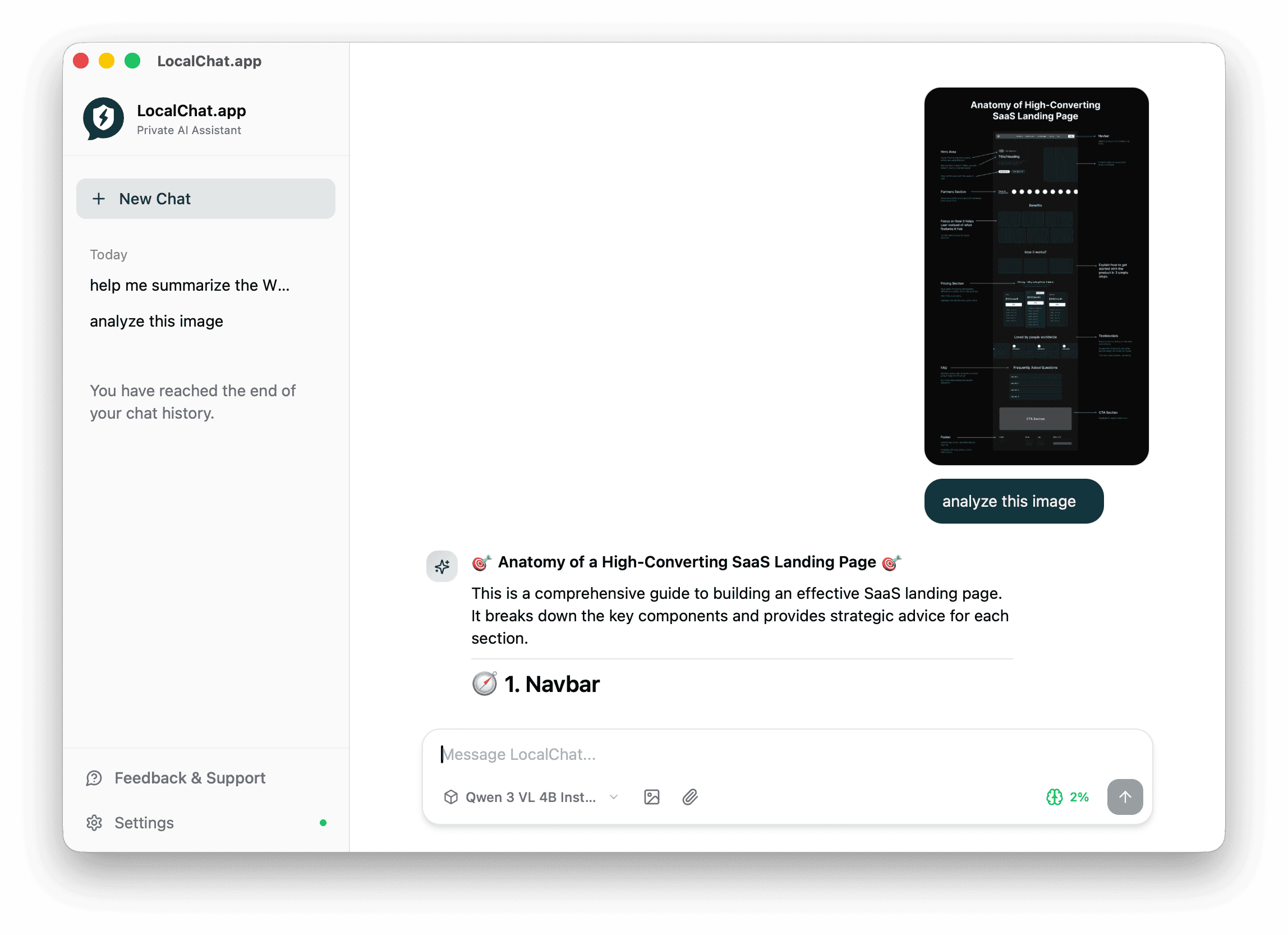
LocalChat can analyze images using vision-enabled AI models. Ask questions about photos, screenshots, diagrams, or any visual content - all processed locally on your Mac.
Requirements
To analyze images, you need a model with vision capabilities:
- Look for models with the Vision badge in Settings > Models
- Examples: GLM 4.6V Flash, Qwen 3 VL 4B Instruct
How to analyze an image
- Start a new chat or continue an existing conversation
- Attach an image using one of these methods:
- Click the image icon in the chat input
- Drag and drop an image into the chat
- Paste an image from your clipboard (Cmd + V)
- Type your question about the image
- Press Enter to send
The AI will analyze the image and respond based on your question.
What you can do
Analyze screenshots
Upload screenshots to:
- Get explanations of UI elements
- Identify design patterns
- Extract text from images
- Understand error messages
Read charts and diagrams
The AI can interpret:
- Bar charts, line graphs, pie charts
- Flow diagrams and org charts
- Technical diagrams
- Infographics
Describe photos
Ask the AI to:
- Describe what's in a photo
- Identify objects, people, or places
- Read signs or labels
- Analyze composition
Convert designs to code
With the right prompt, vision models can turn screenshots into HTML/CSS. See Screenshot to code for details.
Example prompts
Try these prompts when analyzing images:
- "What does this screenshot show?"
- "Summarize the key points from this infographic"
- "Extract all the text from this image"
- "What's wrong with this UI design?"
- "Describe the data trends in this chart"
Tips for better results
- Use clear images - Higher resolution images give better results
- Be specific - Ask targeted questions rather than vague ones
- Provide context - Tell the AI what kind of image it's looking at
- Try different models - Some vision models are better at certain tasks
Supported formats
LocalChat accepts common image formats:
- PNG
- JPEG / JPG
- GIF
- WebP
Privacy
Image analysis happens entirely on your Mac. Your images are never uploaded to external servers.
Related pages
- Screenshot to code - Convert designs to HTML/CSS
- Chat with Documents - Process PDFs and text files
- Models - Download vision-enabled models