LM Studio put local AI on the map. For the first time, everyday users could download an app, grab a model, and chat with AI entirely on their own computer. No cloud subscription required.
But here's the thing: LM Studio isn't for everyone.
Its interface assumes you understand AI terminology. Terms like "quantization," "context length," and "temperature" appear throughout. The settings panel has more options than most users will ever need. For power users and AI enthusiasts, that's a feature. For professionals who just want private AI that works, it's friction.
Privacy matters more than ever. Businesses worry about sending sensitive data to cloud AI services. Regulations like GDPR and HIPAA make local AI necessary for certain use cases, not just preferable.
What you'll learn in this guide:
- The 10 best alternatives to LM Studio for running AI locally
- Which apps prioritize simplicity vs. which offer maximum control
- Honest comparisons of pricing, features, and ease of use
- How to choose the right local AI tool for your needs
Whether you're a Mac user wanting something simpler, a developer seeking different capabilities, or a privacy-conscious professional who needs AI that never touches the cloud, this guide covers your options.
LM Studio alternatives at a glance
| Tool | Price | Ease of use | Platforms | Best for |
|---|---|---|---|---|
| LocalChat | $49.50 once | Very easy | macOS | Non-technical Mac users |
| Ollama | Free | Technical | macOS, Windows, Linux | Developers |
| Jan.ai | Free | Medium | macOS, Windows, Linux | Power users wanting cloud + local |
| GPT4All | Free | Easy | macOS, Windows, Linux | Beginners on any platform |
| koboldcpp | Free | Technical | macOS, Windows, Linux | Advanced customization |
| Open WebUI | Free | Medium | Web-based | Teams and self-hosters |
| LocalAI | Free | Technical | Docker | Developers building apps |
| Jellybox | Free | Medium | Desktop | Hugging Face enthusiasts |
| PrivateGPT | Free | Technical | Self-hosted | Document-focused workflows |
| Lemonade Server | Free | Easy (Windows) | Windows, Linux | Windows users |
1. LocalChat - Best for Mac users who want simplicity
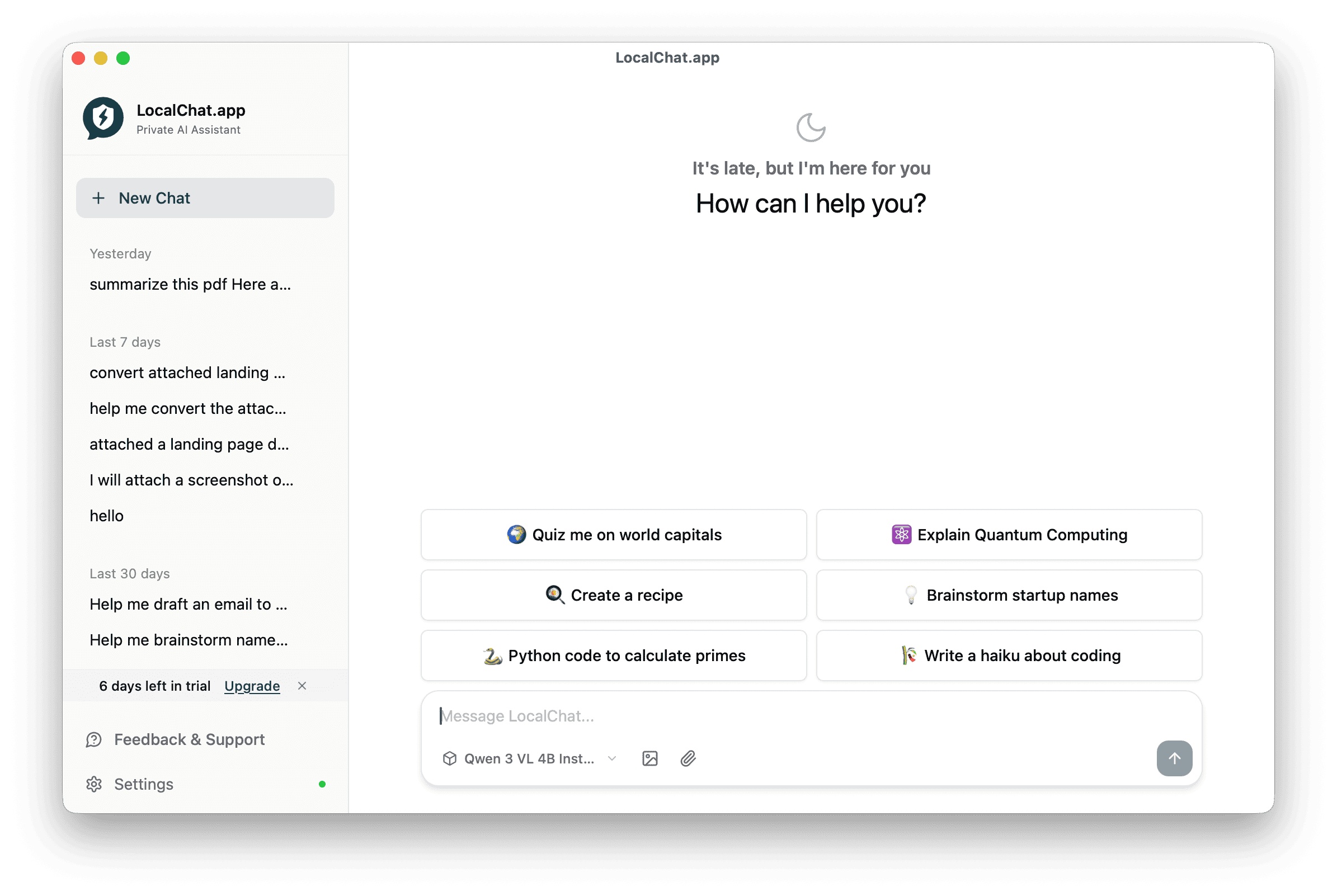
If LM Studio feels overwhelming, LocalChat is your answer. It strips away the complexity and focuses on one thing: making local AI accessible to everyone.
LocalChat was built for macOS users who don't want to become AI experts just to have a private conversation with an AI assistant. No command line, no confusing settings, no learning curve. Download, install, chat.
What makes LocalChat different
Where LM Studio shows you every quantization variant and parameter option, LocalChat makes intelligent defaults. The app handles model optimization automatically, so you pick a model by what it does, not by its technical specifications.
The interface follows Apple's design principles: clean, intuitive, and focused. It feels like a native Mac app because it is one, built from the ground up for macOS and Apple Silicon.
Key features
- All processing happens on your Mac (no cloud, no data collection, no account required)
- Access 300+ AI models including Llama, Mistral, Gemma, Qwen, and DeepSeek through a visual browser
- Pay $49.50 once with no subscriptions or recurring fees
- Works offline after downloading models
- Beautiful macOS app with no command line or technical knowledge needed
- Native M1/M2/M3/M4 support with Metal acceleration
Pricing
| License | Price | Devices |
|---|---|---|
| Single | $49.50 (50% off) | 1 Mac |
| Family | $199.50 (50% off) | Up to 5 Macs |
One-time payment, lifetime access, one year of updates included.
Pros and cons
Pros:
- Easiest local AI setup available for Mac
- Beautiful, native macOS interface
- No technical knowledge required
- Handles model optimization automatically
- Zero configuration needed
- Works completely offline
Cons:
- macOS only (no Windows/Linux support)
- Requires decent hardware for larger models
- One-time cost vs. free alternatives
- Fewer advanced customization options than LM Studio
Best for
Non-technical Mac users, privacy-conscious professionals (lawyers, consultants, healthcare workers), and anyone who wants local AI without the complexity.
The verdict
LocalChat is LM Studio for people who just want to chat. No settings, no complexity, just AI that works. If you've tried LM Studio and found it overwhelming, LocalChat was designed for you.
2. Ollama - Best for developers and CLI enthusiasts
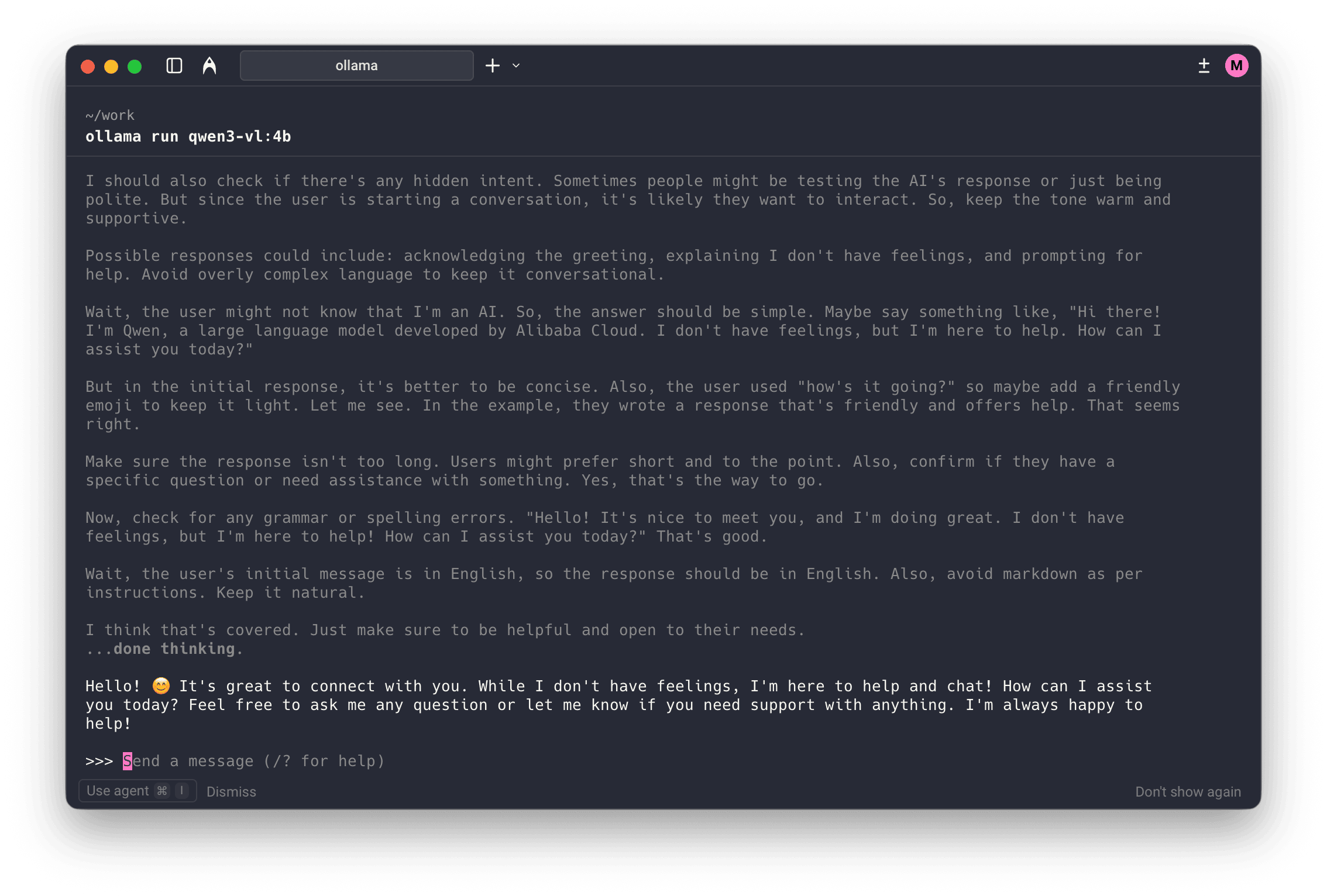
Ollama is basically Docker for LLMs. It's a command-line tool that makes downloading and running AI models remarkably simple for developers. It's become the go-to choice for technical users who prefer terminal over GUI.
Key features
- Completely free under the MIT License
- 100+ models including Llama, Mistral, Phi, and Gemma
- CLI and OpenAI-compatible API for developers
- Excellent M1/M2/M3/M4 performance via Metal
- Efficient memory management
- Large GitHub community with regular updates
Pricing
Free - Open-source under MIT License.
Pros and cons
Pros:
- Free with no limitations
- Excellent performance on Apple Silicon
- OpenAI-compatible API for app integration
- Lightweight and efficient
- Large community and ecosystem
Cons:
- Command-line only with no built-in GUI
- Requires technical knowledge to set up
- Need third-party tools for chat interface
- Not suitable for non-technical users
Best for
Software developers, DevOps engineers, and technical users who prefer command-line tools and want to integrate local AI into their applications.
3. Jan.ai - Best for users who want cloud + local options
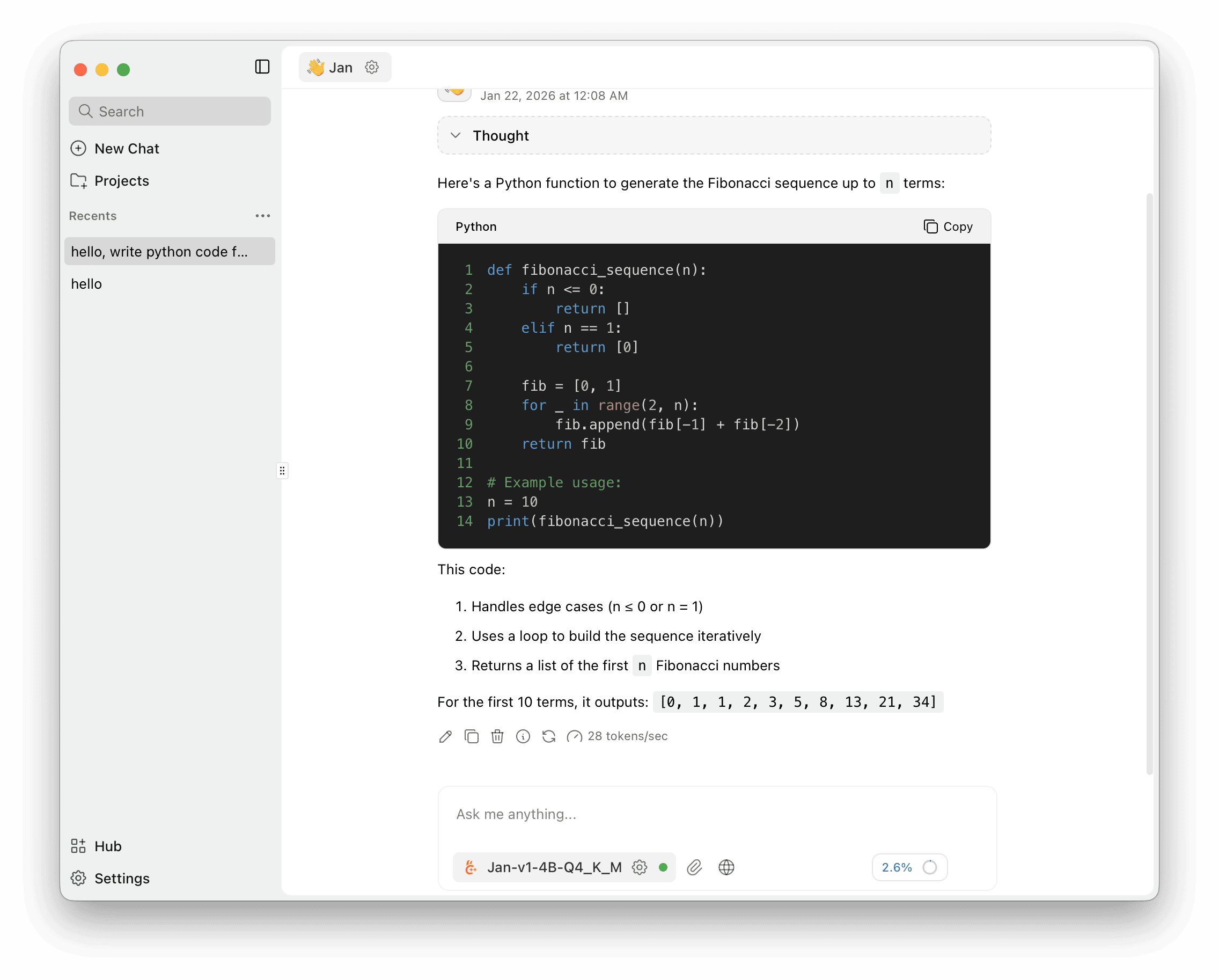
Jan takes a different approach: it's an open-source AI hub that supports both local models and cloud APIs. You can run Llama locally in one conversation and switch to ChatGPT or Claude in another.
Key features
- Run local models or connect to cloud APIs
- 39.9K+ GitHub stars with active development
- Integrations with Gmail, Notion, Slack, and Figma
- Works on macOS, Windows, and Linux
- MCP support, tool calling, and browser extension
Pricing
Free - Completely open-source. Cloud API usage requires separate payments to providers.
Pros and cons
Pros:
- Best of both worlds: local and cloud
- Extensive service integrations
- Active open-source community
- Regular feature updates
Cons:
- Can be overwhelming with too many features
- Cloud integration dilutes privacy messaging
- Steeper learning curve than simpler alternatives
- More resource-intensive than focused apps
Best for
Power users who want flexibility to switch between local and cloud AI, and those who need integrations with productivity tools.
4. GPT4All - Best for beginners on any platform
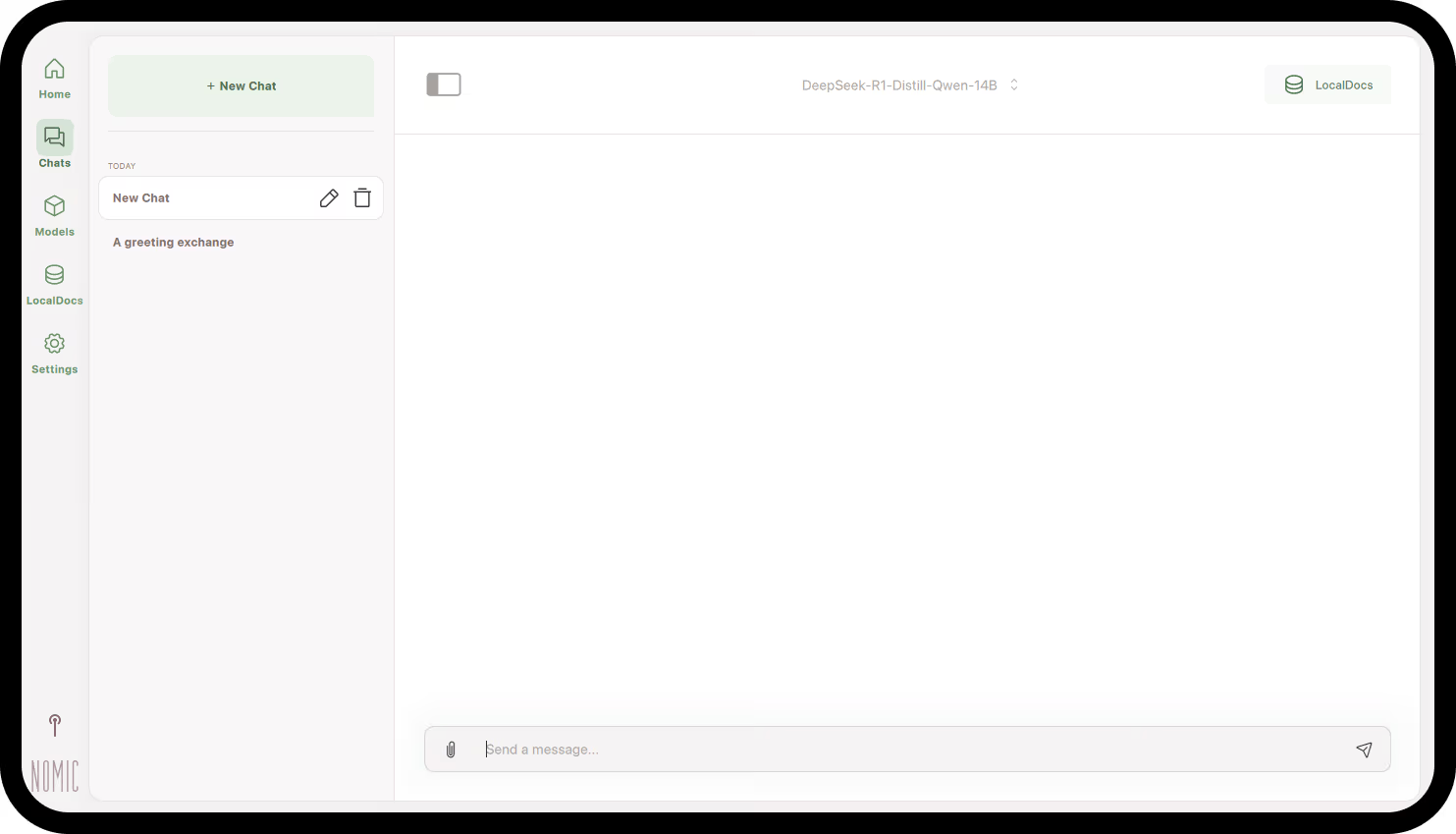
GPT4All is one of the most approachable local AI applications available. Developed by Nomic AI, it focuses on making local AI accessible to everyone, regardless of technical background.
Key features
- Native apps for macOS, Windows, and Linux
- Clean interface designed for beginners
- Pre-selected models optimized for the app
- Chat with your PDFs and documents locally
- Create searchable knowledge bases from your files
Pricing
Free - Open-source with optional enterprise features.
Pros and cons
Pros:
- Very beginner-friendly interface
- Works on Mac, Windows, and Linux
- Good default model selection
- Document processing included
Cons:
- Fewer models than some alternatives
- Less customization than LM Studio
- Interface feels less polished than premium options
- Some users report performance issues
Best for
First-time local AI users on any platform who want a gentle introduction without technical complexity.
5. koboldcpp - Best for advanced customization
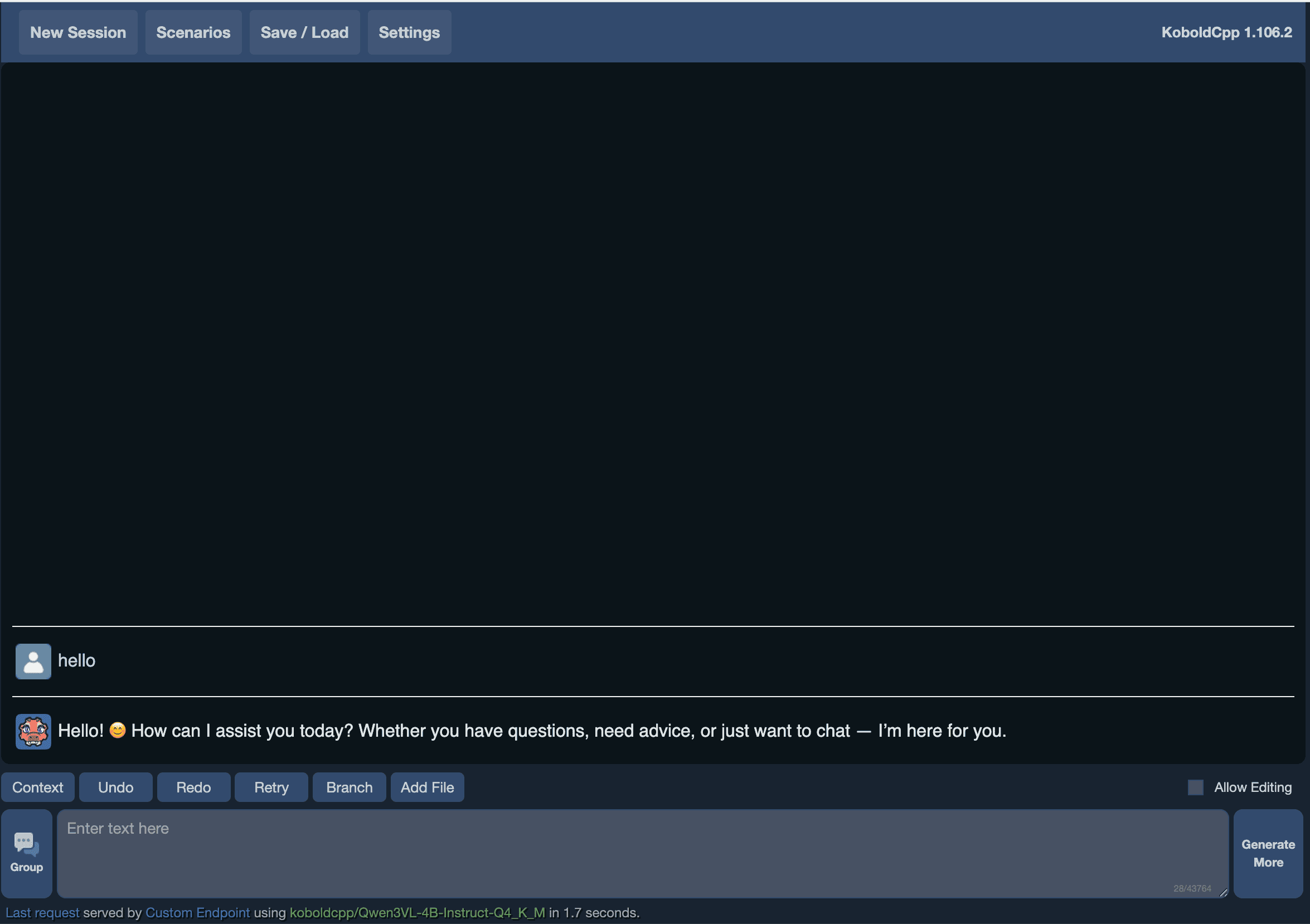
koboldcpp is a powerful local AI runtime built on llama.cpp with an extensive web interface. It's designed for users who want maximum control over their AI experience.
Key features
- Fine-tune every aspect of model behavior
- Specialized features for creative writing and roleplay
- Better context handling for long conversations
- Compatible with various frontends and applications
- CUDA, ROCm, and Metal GPU support
Pricing
Free - Open-source project.
Pros and cons
Pros:
- Unmatched customization options
- Excellent for creative writing use cases
- Active development community
- Works on multiple platforms
Cons:
- Overwhelming for casual users
- Requires understanding of AI parameters
- Setup can be complex
- Not designed for simple chat
Best for
Advanced users who want granular control, creative writers using AI for storytelling, and those who find LM Studio too simple.
6. Open WebUI - Best for teams and self-hosting
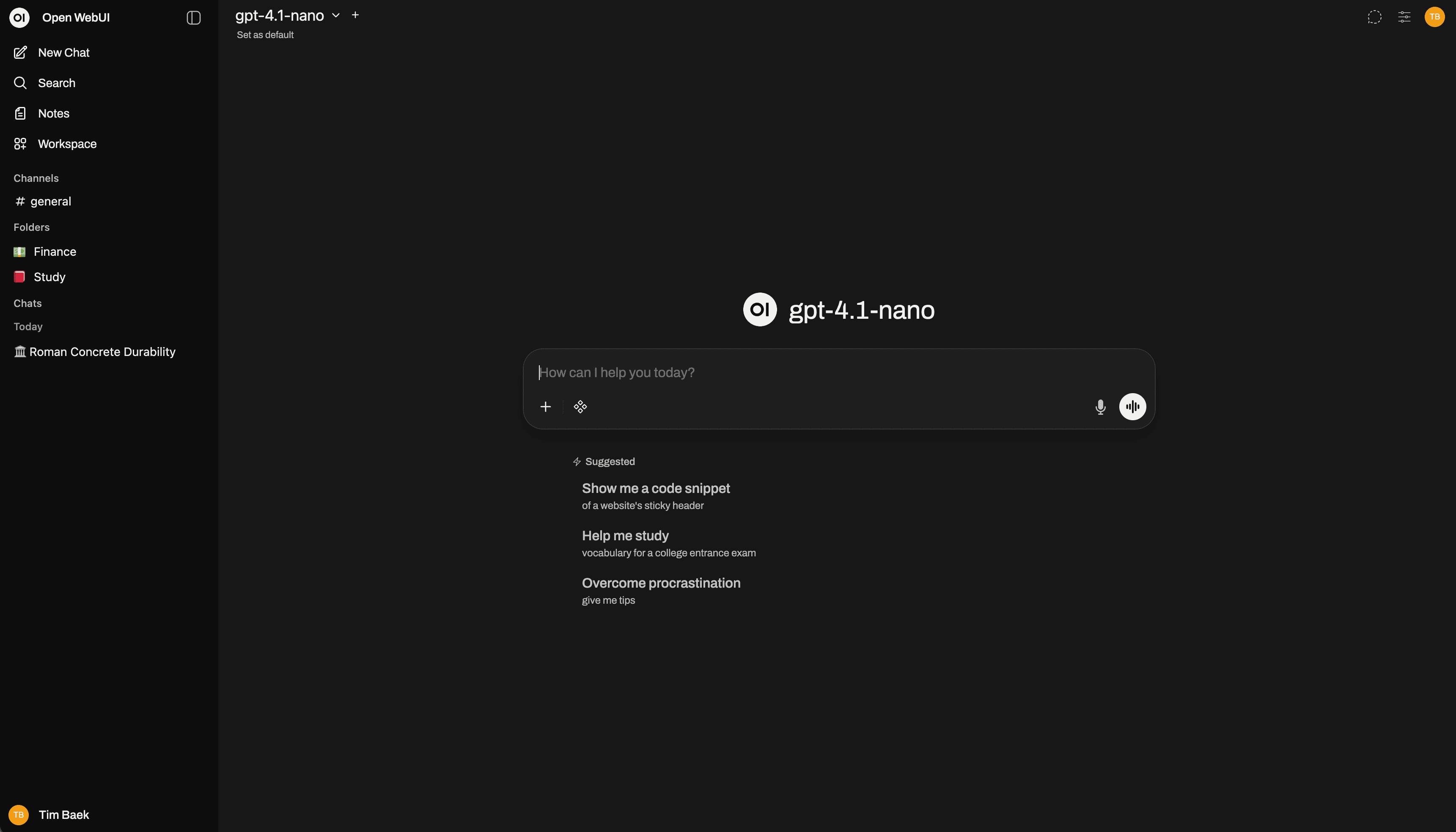
Open WebUI (formerly Ollama WebUI) provides a ChatGPT-like interface for local AI models. It's a web-based frontend that works with Ollama and other backends, making it good for team deployments.
Key features
- Familiar ChatGPT-style user experience
- Built-in authentication and user management
- Seamless integration with Ollama backend
- Upload and chat with files
- Extensible with community plugins
Pricing
Free - Open-source project.
Pros and cons
Pros:
- Familiar ChatGPT-style interface
- Multi-user support for teams
- Web-based (access from any device)
- Active development
Cons:
- Requires Ollama or similar backend
- Self-hosting adds complexity
- Not a standalone solution
- Setup requires technical knowledge
Best for
Teams who want shared access to local AI, organizations self-hosting AI infrastructure, and users who prefer web interfaces.
7. LocalAI - Best for developers building applications
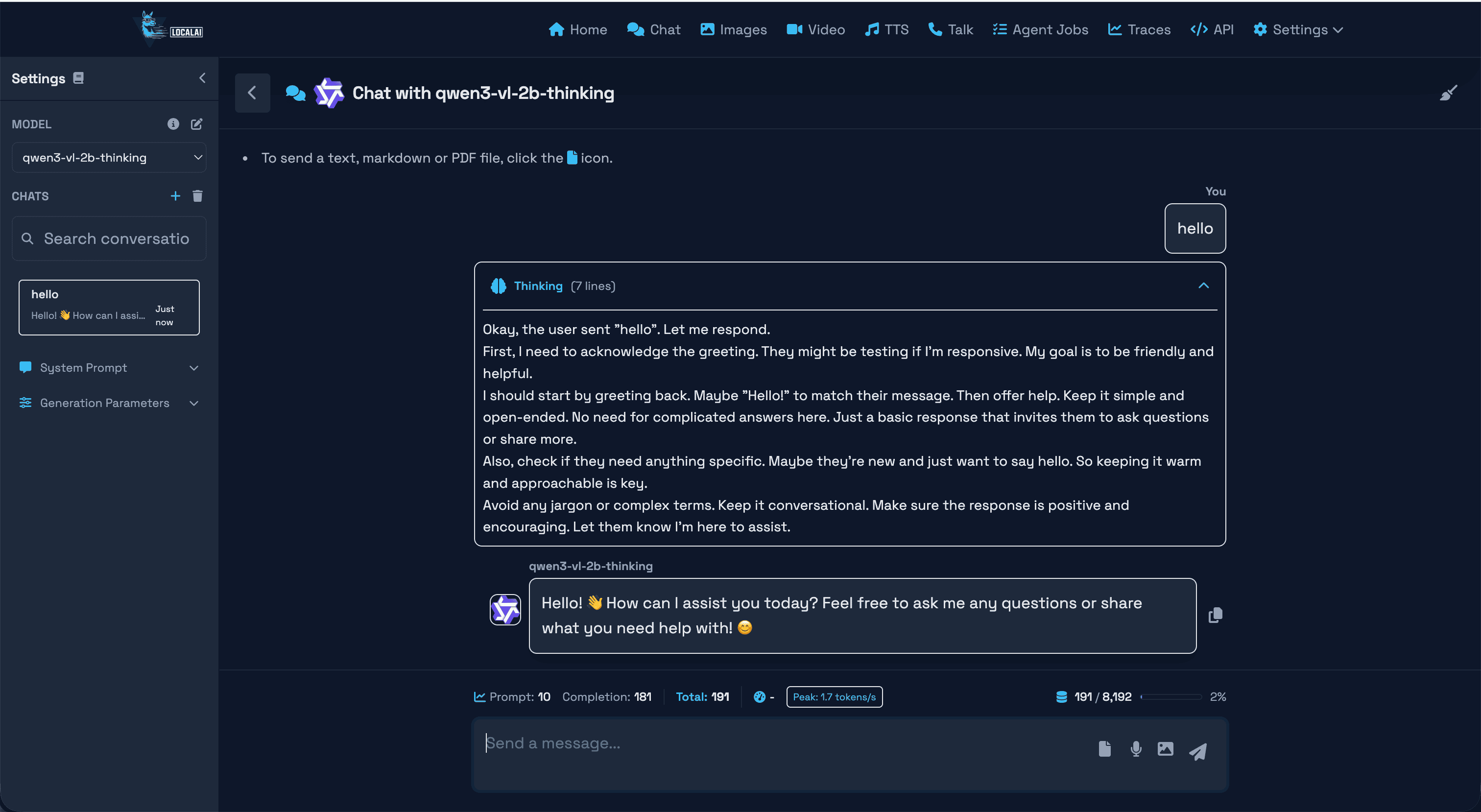
LocalAI is an OpenAI-compatible API server that runs entirely locally. It's designed as infrastructure for developers who want to swap cloud AI for local AI in their applications without changing code.
Key features
- Drop-in replacement for OpenAI API
- Supports text, images, audio, and embeddings
- Containerized Docker deployment
- llama.cpp, ONNX, and PyTorch support
- Runs on CPU (slower but accessible) or GPU
Pricing
Free - Open-source project.
Pros and cons
Pros:
- True OpenAI API compatibility
- Excellent for application development
- Supports many model types
- Active community
Cons:
- Docker required (not a simple app)
- No built-in chat interface
- Technical setup required
- Not for end-users
Best for
Developers building AI applications who need a local OpenAI API replacement, and DevOps teams deploying AI services.
8. Jellybox - Best for Hugging Face model access
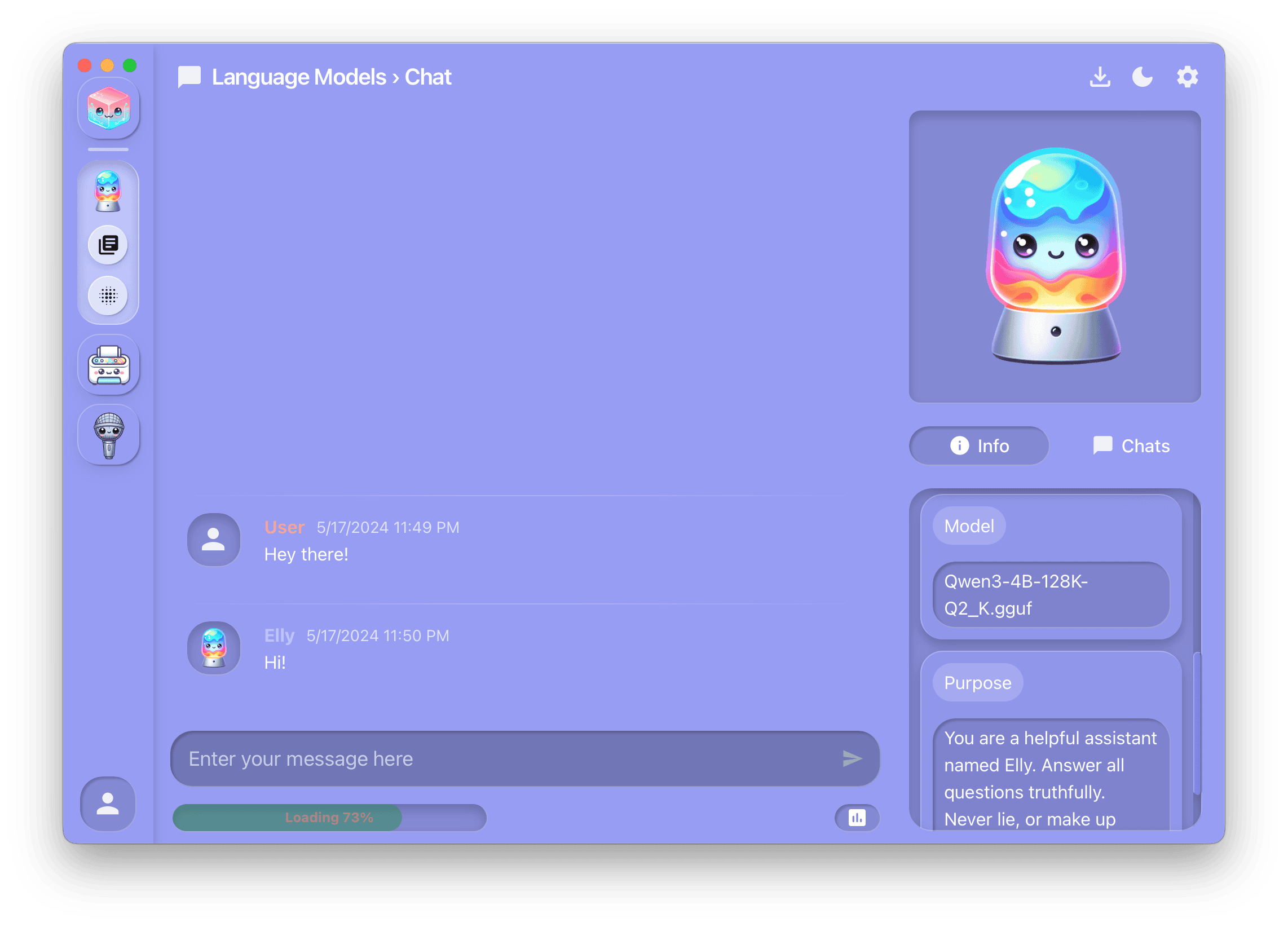
Jellybox provides direct access to Hugging Face's model ecosystem with a graphical interface. It aims to make local AI tools accessible in a simple package.
Key features
- Direct Hugging Face model browser and downloads
- Text and image AI in one app
- Save and reuse model configurations
- No cost to use
Pricing
Free - No payment required.
Pros and cons
Pros:
- Direct Hugging Face model access
- Includes image generation
- Template system for configurations
- Free to use
Cons:
- Casual/playful UI design
- Shows raw model variants (requires technical knowledge)
- Less documentation than alternatives
- Smaller community
Best for
Users who want direct access to Hugging Face models and understand model quantization variants.
9. PrivateGPT - Best for document-focused workflows
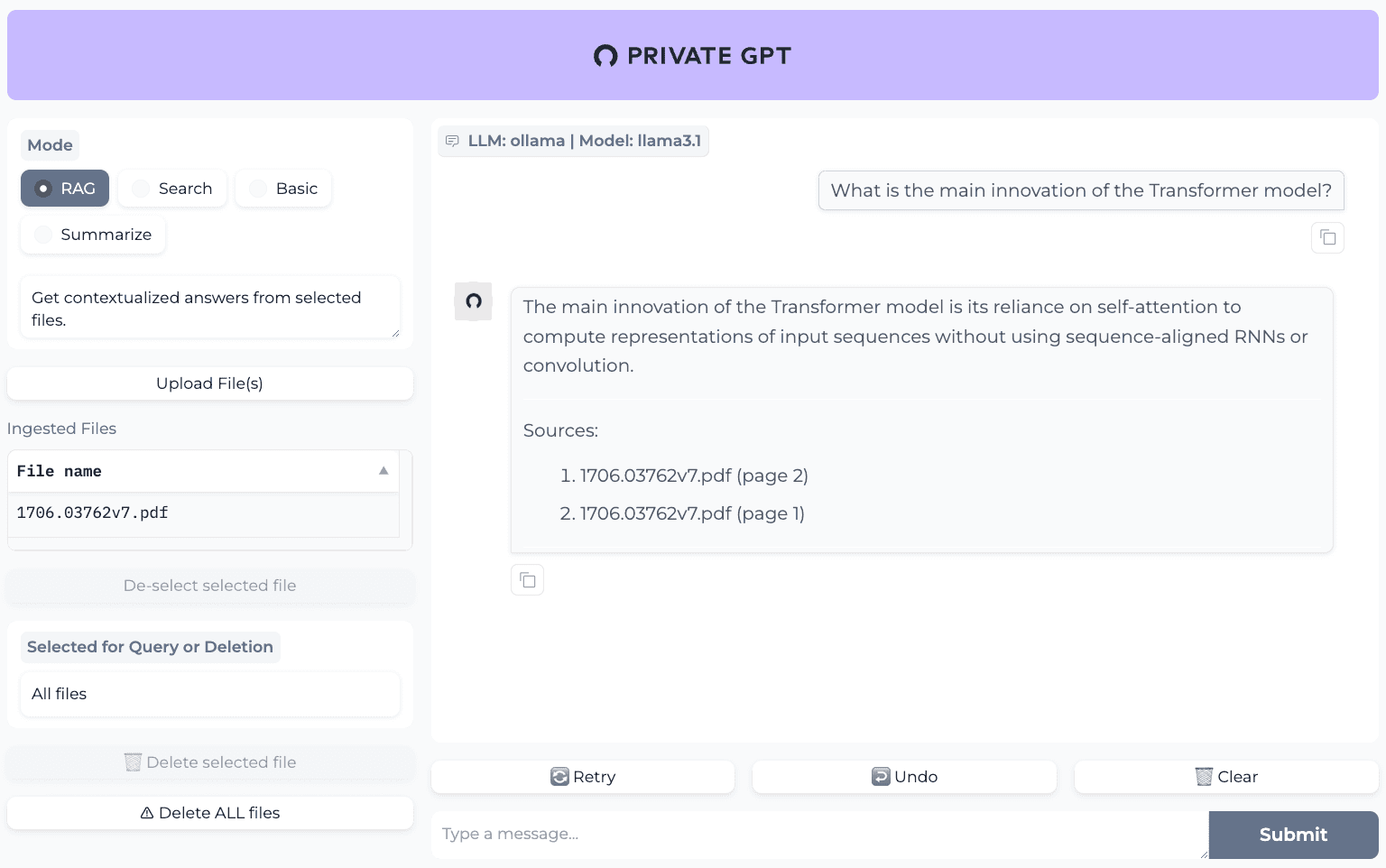
PrivateGPT is designed specifically for chatting with your documents privately. It's ideal for professionals who need to query large document collections without sending data to the cloud.
Key features
- Process PDFs, Word docs, and more
- Built-in retrieval-augmented generation for accurate answers
- 100% private with all processing local
- API available for workflow integration
Pricing
Free - Open-source project.
Pros and cons
Pros:
- Excellent for document analysis
- Built-in RAG for better accuracy
- Strong privacy focus
- API for integration
Cons:
- Focused on documents (not general chat)
- Technical setup required
- Resource-intensive for large document sets
- Not a general-purpose AI chat
Best for
Legal professionals, researchers, and anyone who needs to query document collections privately.
10. Lemonade Server - Best for Windows users
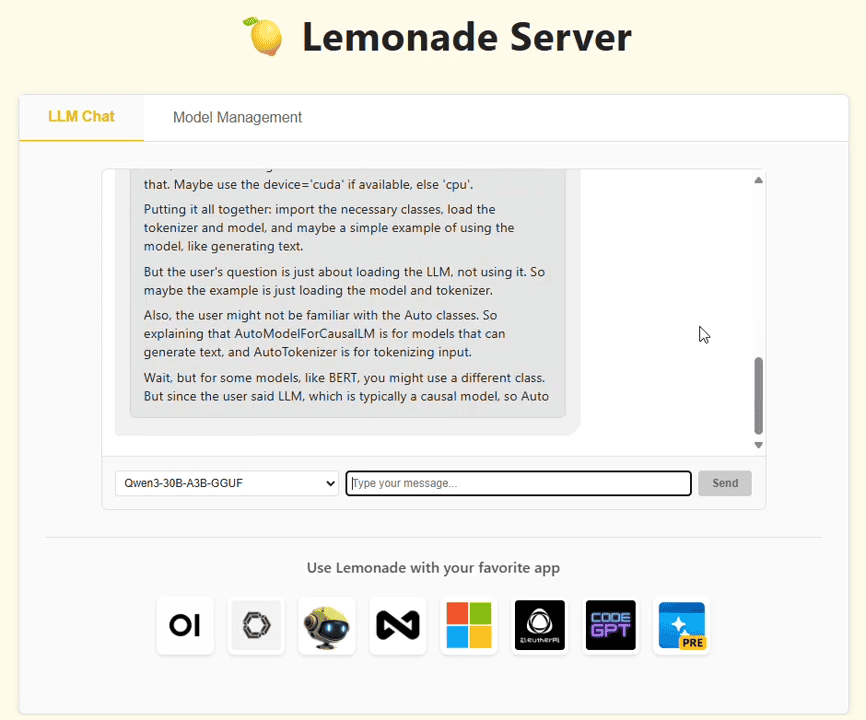
Lemonade Server focuses on easy installation and hardware auto-configuration, specifically for Windows. It promises to get users running local AI in minutes with optimizations for GPUs and NPUs.
Key features
- Simple MSI installer on Windows
- Detects and optimizes for your GPU/NPU
- llama.cpp, Ryzen AI, and FastFlowLM support
- Only 2MB native C++ backend
- Works with Open WebUI, Continue, and GitHub Copilot
Pricing
Free - Open-source project.
Pros and cons
Pros:
- Excellent Windows experience
- Automatic hardware optimization
- AMD Ryzen AI NPU support
- Very lightweight
Cons:
- Windows-focused (Mac requires "developer setup")
- Not ideal for macOS users
- Smaller community than alternatives
- Less mature than established tools
Best for
Windows 11 users, especially those with AMD Ryzen AI hardware.
How to choose the right LM Studio alternative
Choose LocalChat if you:
- Use a Mac and want the simplest experience
- Value your time over saving $49.50
- Prefer a beautiful, native interface
- Don't want to learn AI terminology
- Need something you can recommend to non-technical colleagues
Choose Ollama if you:
- Are a developer comfortable with the command line
- Want to build applications with local AI
- Need OpenAI-compatible API access
- Prefer free and open-source tools
- Already know your way around a terminal
Choose Jan.ai if you:
- Want both local and cloud AI in one app
- Need integrations with Slack, Notion, etc.
- Don't mind a steeper learning curve
- Want maximum flexibility
- Are comfortable with open-source software
Choose GPT4All if you:
- Are new to local AI and want to experiment
- Use Windows or Linux
- Want a free, beginner-friendly option
- Need document processing
Choose koboldcpp if you:
- Need maximum customization
- Use AI for creative writing
- Find LM Studio too limiting
- Want fine-grained control over parameters
Detailed feature comparison
| Feature | LocalChat | Ollama | Jan.ai | GPT4All | LM Studio |
|---|---|---|---|---|---|
| Price | $49.50 once | Free | Free | Free | Free |
| GUI | Native macOS | None (CLI) | Cross-platform | Cross-platform | Cross-platform |
| Ease of use | Very easy | Technical | Medium | Easy | Medium |
| Models | 300+ | 100+ | Varies | Curated | Extensive |
| Offline | Yes | Yes | Partial | Yes | Yes |
| Cloud option | No | No | Yes | No | No |
| macOS native | Yes | Via CLI | Electron | Electron | Electron |
| Setup time | 2 min | 10+ min | 15+ min | 5 min | 10 min |
| Target user | Everyone | Developers | Power users | Beginners | Enthusiasts |
| Apple Silicon | Optimized | Good | Good | Good | Good |
Frequently asked questions
What is the best LM Studio alternative?
The best alternative depends on your needs. For Mac users who want simplicity, LocalChat offers the easiest experience with a native interface and zero configuration. For developers, Ollama provides excellent CLI tools and API access. For beginners on any platform, GPT4All offers a gentle introduction.
Is there a free alternative to LM Studio?
Yes, several excellent free alternatives exist: Ollama (command-line), Jan.ai (GUI with cloud options), GPT4All (beginner-friendly), and koboldcpp (advanced customization). Note that free options often require more technical setup than paid alternatives like LocalChat.
What is the easiest local AI app for Mac?
LocalChat was designed specifically for Mac users who want simplicity. Unlike LM Studio's feature-heavy interface, LocalChat handles model optimization automatically and requires zero technical knowledge. Download, install, chat. That's it.
Can I use LM Studio alternatives offline?
Yes, most local AI tools work entirely offline after you download models. LocalChat, Ollama, GPT4All, and LM Studio all function without internet once set up. Jan.ai is the exception since it supports cloud APIs which require internet.
Which local AI is best for privacy?
Any local-only tool provides strong privacy since data never leaves your computer. LocalChat and Ollama are purely local with no cloud features. Be cautious with hybrid tools like Jan.ai where you might accidentally use cloud APIs.
How much RAM do I need for local AI?
16GB is the minimum for most local AI apps. 32GB or more is recommended for larger, more capable models. The specific requirements depend on the model size. 7B parameter models need around 8GB, while 70B models need 48GB+ of RAM.
Is local AI as good as ChatGPT?
Modern local models like Llama 3.3, Mistral, and Qwen perform well for most tasks. They may not match GPT-4's capabilities on the most complex reasoning tasks, but for everyday use (writing, coding, analysis, conversation) local models are impressive and improving rapidly.
Why pay for LocalChat when LM Studio is free?
LocalChat is built for users who value their time. While LM Studio is powerful, its complexity creates a learning curve. LocalChat's $49.50 one-time cost buys you: zero setup time, a native Mac experience, automatic model optimization, and an interface designed for productivity rather than experimentation.
Conclusion
LM Studio pioneered accessible local AI, but it's not the only option. For many users, it's not the best fit.
The local AI landscape in 2026 offers something for everyone:
- If you want simplicity, LocalChat eliminates the complexity that makes LM Studio overwhelming
- Developers have Ollama's powerful CLI and API tools
- Power users can explore Jan.ai's hybrid cloud-local approach
- Beginners can start with GPT4All's gentle learning curve
- Advanced users who find LM Studio too simple have koboldcpp's extensive customization
The best tool is the one you'll actually use. For most Mac users who want private AI without the complexity, that means choosing simplicity over features.
Our recommendation: If you're reading this because LM Studio felt like too much, LocalChat was designed for you. Beautiful, simple, private AI for your Mac at a price that pays for itself in three months compared to cloud subscriptions.